
I Finally Stopped Jumping Between 5 Different Tools
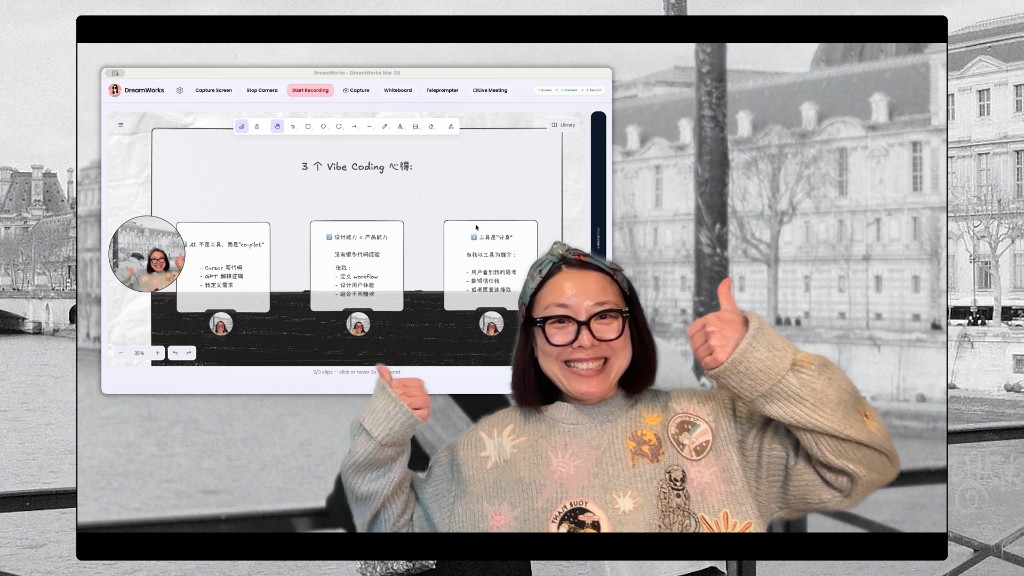
我终于不用在5个软件里来回折腾了
年初给老客户做一个简单的产品演示视频。
短短 3 分钟的内容,我的操作流程却无比割裂:
打开录屏软件,调整好摄像头,讲到关键处想画个箭头强调,就得切到白板工具;中途搭档说要不顺便同步下思路,又得单独开个视频会议。
整个过程没有任何技术门槛,却让我真切感到难受:
明明是一段连贯的演示,硬生生被各种工具拆得支离破碎。
一件再简单不过的小事,被拆得七零八落。你必须时刻紧绷着神经想:接下来该切哪个软件?要不要先暂停录制?当前这个画面,客户能不能看明白?
本该流畅的表达,全被这些细碎操作打断了。
问题不在工具,而在做事的逻辑
后来我换了个思路复盘这件事。
把整套动作拆开看,其实只需要做四件事:展示屏幕、出镜讲解、白板标注、实时沟通。
这本质上是一个连续完整的动作,可现实中,却被拆进了好几个独立软件里。
随之而来的,是一个很容易被忽略的隐性成本:
每一次切换工具,都要重新梳理思路、重建操作语境。
而这种「重建语境」的消耗,最费注意力。
我没找更好的工具,而是重新定义了问题
一开始我也想着,换个更顺手的工具就好了。很快我就发现,这条路根本走不通。
因为这不是工具好不好用的问题,而是做事结构的问题。
于是我彻底换了方向:不再纠结「哪个工具更合适」,而是追问一个更本质的问题:
这个行为,本质上该怎么组织才合理?
紧接着,我做了最关键的一步:把这个问题交给 AI,一起拆解、重构。
我是怎么用 AI 拆解问题的
我没有一上来就写代码做开发,而是先用大白话,把问题逐层拆解开。
Step 1:明确目标
我想要一个能让我连贯表达、不被工具打断的演示环境。
Step 2:拆解任务
让 AI 帮我把目标拆成最基础的单元:屏幕录制、摄像头采集、标注涂鸦、多人实时连线。
到这一步,已经接近一套完整的系统设计了。
Step 3:抽象角色
我用很简单的逻辑去理解:如果把它做成一个系统,里面其实有几个核心「角色」:
- 屏幕角色:负责录制和展示画面
- 摄像头角色:负责出镜呈现
- 白板角色:负责标注和解释
- 会议角色:负责多人连接沟通
可以这么理解:
我不再是使用工具,而是调度一组协同能力
Step 4:赋予基础能力
我没有追求一步到位做全功能,而是给每个角色只配最核心的能力:
- 屏幕:选择窗口、显示器
- 摄像头:显示、自由调整位置
- 白板:涂鸦、分层展示
- 会议:实时连线
核心原则就一个:不求完美,先做到能用。
Step 5:快速整合调度
最后一步才是关键:把这些能力放在同一个界面里,让它们同时运转。
不再是多个软件来回切换,而是:
一个窗口,多能力协同工作
整套流程,就是一个典型的循环:
定义目标 → 拆解任务 → 分配角色 → 组合能力 → 迭代优化
而和传统开发最大的不同是:这个循环是用自然语言驱动的,而非代码。
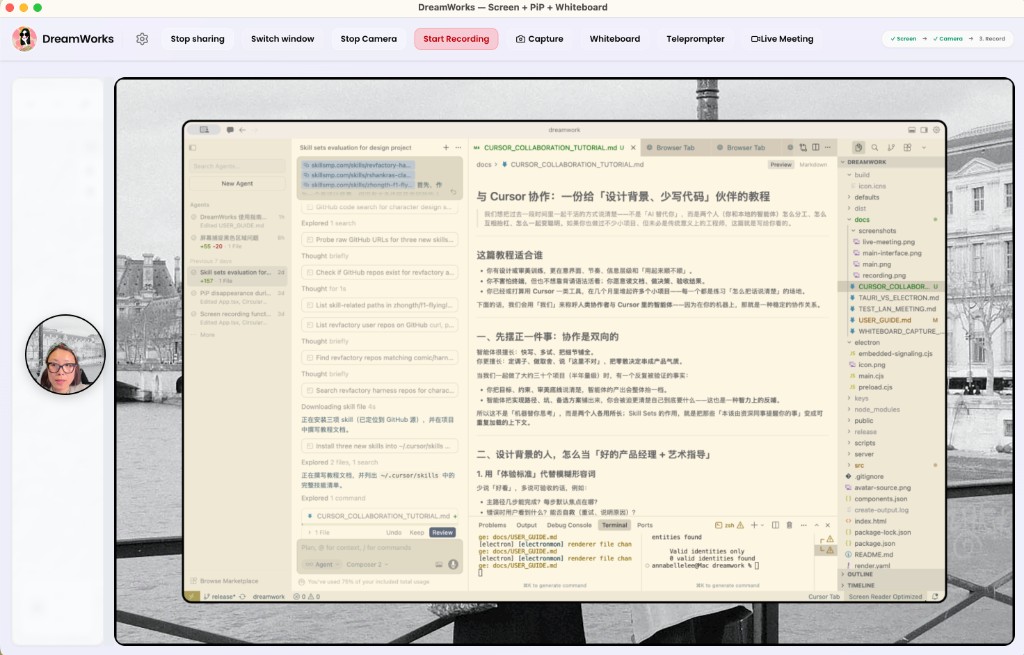
自然语言,正在成为新的「开发接口」
这个过程里我有一个强烈的感受:我不是在「开发一款软件」,更像是:
用语言,搭建和调度一套系统。
我会直接跟 AI 说:
- 摄像头做成可拖拽的圆形小窗,悬浮在画面上
- 白板标注要单独分层,别直接盖在屏幕内容上
- 录制时直接合成所有画面,不要分开保存
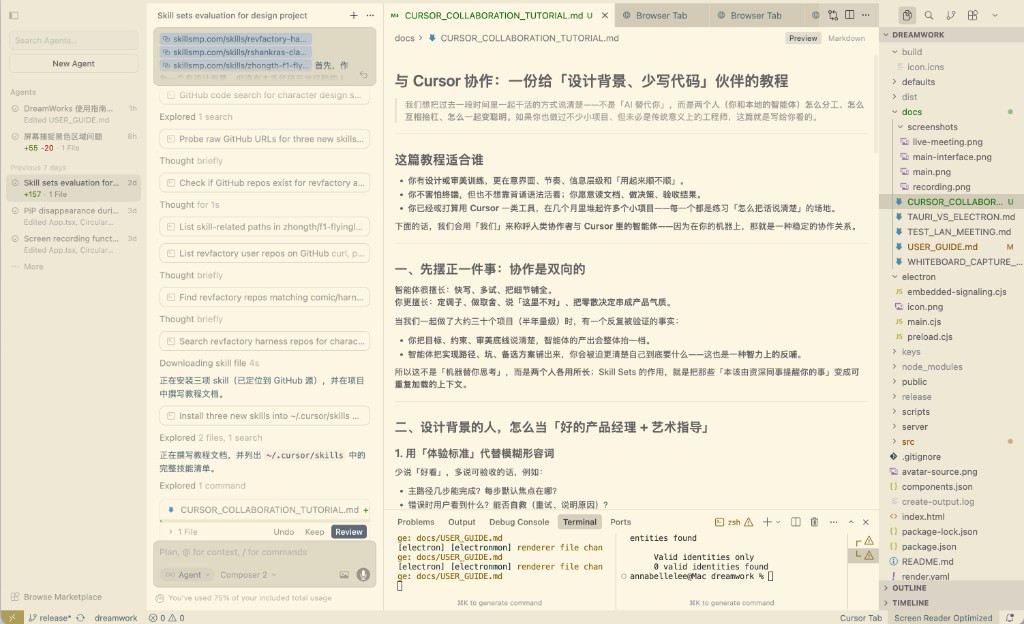
这些原本需要用代码实现的逻辑,现在用文字描述就能落地。
由此带来一个本质变化:自然语言,开始成为系统的控制核心。
一个可直接复用的小方法
如果你也想试试这种方式,用这个极简框架就行:
🧩 AI 调度迷你循环
- 用一句话说清你想要什么
我要一个能连贯演示的环境
- 拆成 3–5 个最基础的能力
屏幕、摄像头、标注、连线
- 把每个能力当成一个「角色」,而非工具
- 借助 AI 快速验证最小可用组合
先能用,再慢慢优化
这个方法的核心是:别先想着做工具,先学会组织能力。
最后它变成了什么样子
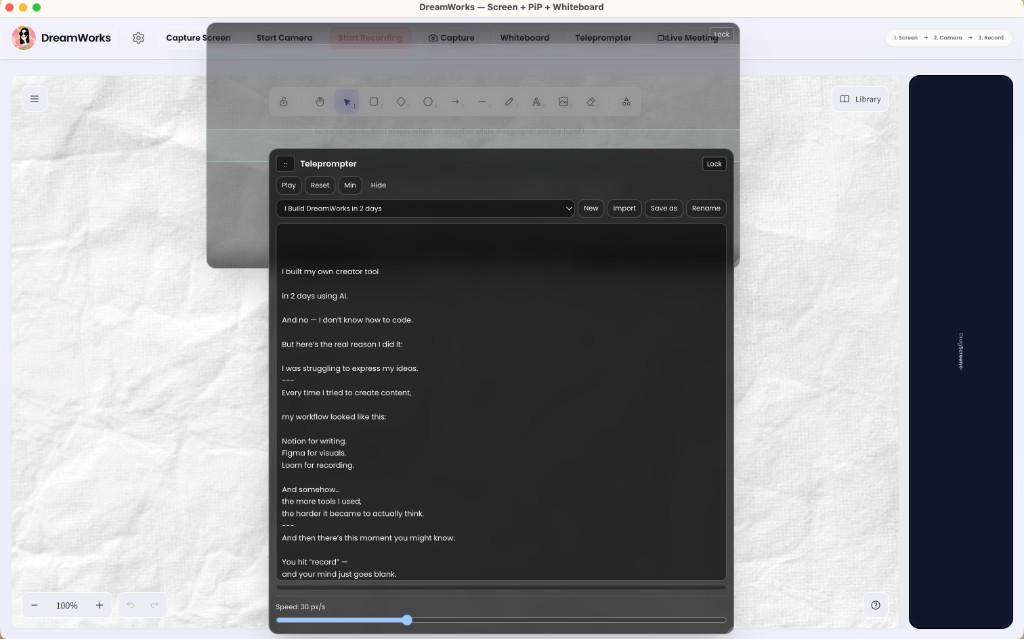
最终成品没有做成复杂的系统,反而极简到极致:就一个窗口。
但这个窗口里,同时集成了:屏幕录制、摄像头、白板、多人会议——无需任何切换。
它真正改变的,不是效率
刚用的时候我其实很不习惯,因为长久以来我已经形成了固定认知:一个工具,只干一件事。
当所有功能被整合在一起,反而会有种不真实的错觉:是不是少了点什么?
但多用几次后,变化格外明显:我不再纠结该开哪个软件,只专注于我要讲什么内容。
我给自己定的判断标准
这件事之后,我给自己定了一个简单的准则:
如果一个行为是连续的,支撑它的系统就不该是分散的。
说得更直白一点:别只优化工具,要优化你的动作本身。
这个问题,真的解决了吗?
如果单看功能强弱,其实并没有多厉害。
但回到最初的痛点:我还需要在 5 个软件之间来回切换吗?
答案很明确:再也不用了。
一个更深远的变化
这件事让我看清一个趋势:
过去我们的工作逻辑是:学习工具 → 使用工具。
而现在,正在变成:重新组织工具,甚至直接重构、替代工具。
这之间的核心分水岭,不再是会不会写代码,而是:
你能不能用语言,把一个实际问题,梳理成一套可落地的系统。
未来的差距,从来不是谁会用更多工具,而是谁能用更少的系统,完成同一个完整动作。
I Finally Stopped Jumping Between 5 Different Tools
Earlier this year, I was creating a simple product demo for a client.
Just a 3-minute video.
But my workflow felt completely fragmented:
I opened a screen recorder, set up the camera.
When I wanted to highlight something, I had to switch to a whiteboard tool.
Midway, my collaborator suggested syncing thoughts—so I opened a separate video call.
There was nothing technically difficult about this.
But it felt terrible.
What should have been one continuous expression was broken into pieces by tools.
A simple task turned into a mental juggling act:
- Which app do I switch to next?
- Do I pause the recording?
- Can the client even follow what’s happening on screen?
The flow of communication kept getting interrupted by operational noise.
The Problem Wasn’t the Tools — It Was the Structure
When I stepped back and analyzed it, the task itself was simple.
I only needed to do four things:
- Show my screen
- Talk on camera
- Annotate visually
- Communicate in real time
This is fundamentally one continuous action.
But in reality, it was split across multiple isolated tools.
And that creates a hidden cost most people overlook:
Every tool switch forces you to rebuild context.
And context-switching is expensive—not computationally, but cognitively.
I Didn’t Look for Better Tools — I Redefined the Problem
At first, I thought I just needed better tools.
That path failed quickly.
Because this isn’t about tool quality.
It’s about how the task itself is structured.
So I shifted the question:
Instead of “Which tool is better?”
I asked: “What is the correct way to organize this behavior?”
That’s when things changed.
And the key move was simple:
I brought AI into the process—not to generate answers, but to help me restructure the problem.
How I Broke It Down with AI
I didn’t start with code.
I started with plain language.
Step 1 — Define the Outcome
I want an environment where I can present continuously, without interruptions.
Step 2 — Decompose the Task
I asked AI to break this into primitives:
- Screen recording
- Camera capture
- Annotation
- Real-time communication
At this point, it’s already close to a system design.
Step 3 — Abstract into Roles
Instead of thinking in “tools,” I reframed everything as roles:
- Screen → handles display and recording
- Camera → handles presence
- Whiteboard → handles explanation
- Meeting → handles connection
At this moment, something subtle shifted:
I was no longer using tools. I was coordinating capabilities.
Step 4 — Assign Minimal Capabilities
I didn’t try to build a perfect system.
Each role only needed its core function:
- Screen → select window / monitor
- Camera → movable overlay
- Whiteboard → simple drawing layers
- Meeting → live connection
The principle was strict:
Don’t aim for completeness. Aim for usability.
Step 5 — Orchestrate in One Place
Only in the final step did I bring everything together:
One interface. Multiple capabilities. Running simultaneously.
No switching. No fragmentation.
What I ended up using is a repeatable loop:
Define → Decompose → Assign → Combine → Iterate
This is fundamentally different from traditional development.
Because the entire loop is driven by natural language, not code.
Natural Language Is Becoming a System Interface
During this process, I had a clear realization:
I wasn’t “building software.”
I was:
Using language to construct and orchestrate a system.
I would say things like:
- “Make the camera a draggable circular overlay.”
- “Keep annotations on a separate layer.”
- “Merge all outputs into a single recording.”
These used to be implementation details.
Now they’re instructions expressed in language—and directly executed.
Which leads to a deeper shift:
Language is no longer just for communication. It’s becoming control.
A Practical Framework You Can Reuse
If you want to try this yourself, start here:
🧩 The AI Orchestration Mini Loop
- State your goal in one sentence
→ “I want a seamless demo environment” - Break it into 3–5 core capabilities
→ screen, camera, annotation, communication - Think in roles, not tools
- Use AI to assemble a minimum viable system
→ make it work first, optimize later
The key idea:
Don’t start by building tools. Start by organizing capabilities.
What It Became
The final result wasn’t complex.
It was radically simple:
One window.
Inside it:
- Screen recording
- Camera
- Whiteboard
- Live communication
All running together.
What Actually Changed
At first, it felt strange.
Because I was used to this assumption:
One tool = one function
When everything merged into one system, it felt… incomplete.
But after a few uses, the shift was obvious:
I stopped thinking about tools. I started focusing on what I wanted to say.
A Rule I Now Follow
After this, I set a simple principle:
If an action is continuous, the system supporting it should not be fragmented.
Or more bluntly:
Don’t optimize tools. Optimize the action.
Did It Actually Solve the Problem?
If you evaluate it by features, it’s not impressive.
But if you go back to the original pain point:
Do I still need to switch between 5 tools?
No.
Not anymore.
The Bigger Shift
This experience made something very clear to me:
We used to work like this:
Learn tools → Use tools
Now it’s becoming:
Reorganize tools → Or replace them entirely
And the real dividing line is no longer:
Can you code?
It’s:
Can you use language to turn a real problem into a working system?
Final Thought
The future gap isn’t about who can use more tools.
It’s about:
Who can achieve a complete outcome with fewer systems.